Spark Doris Connector
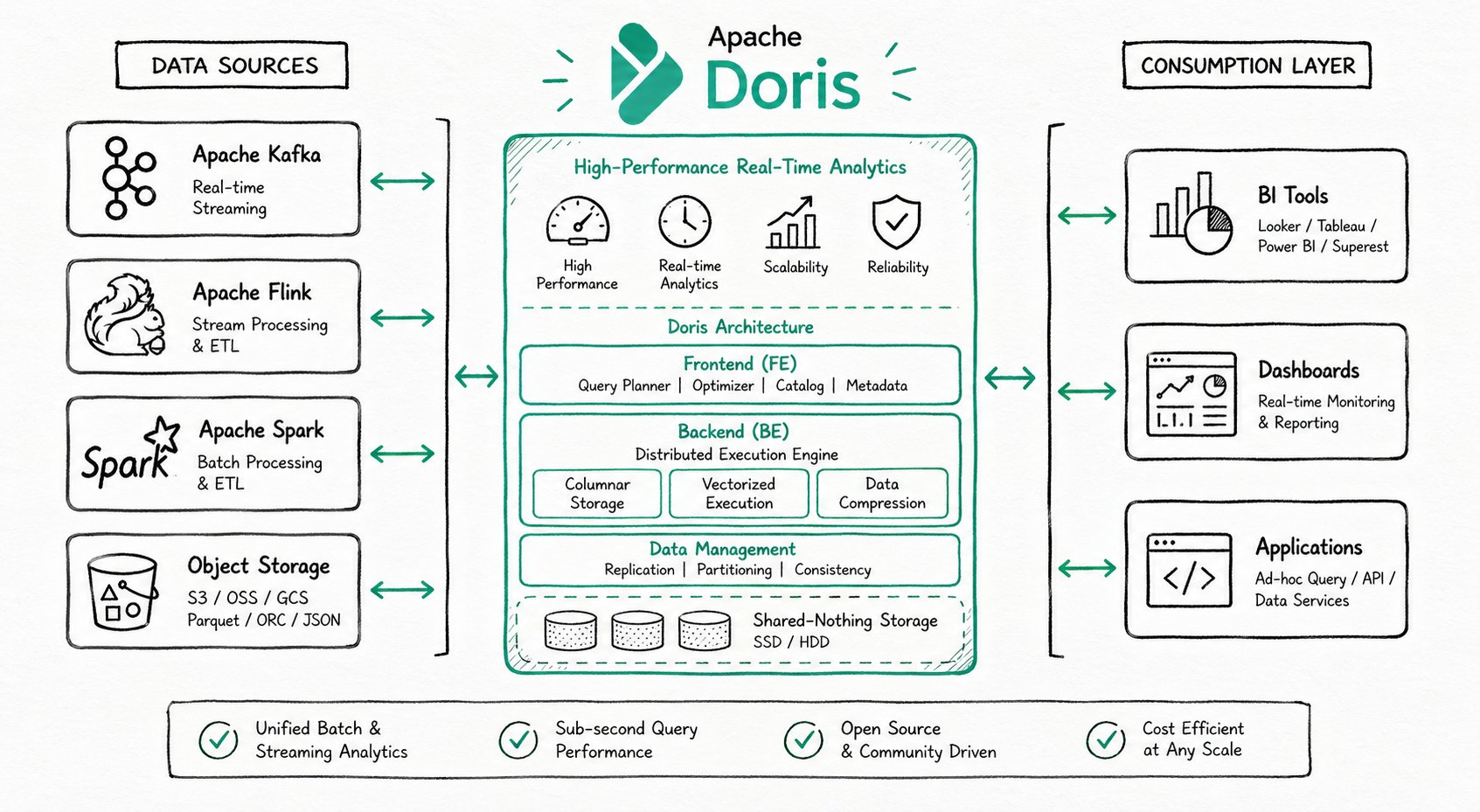
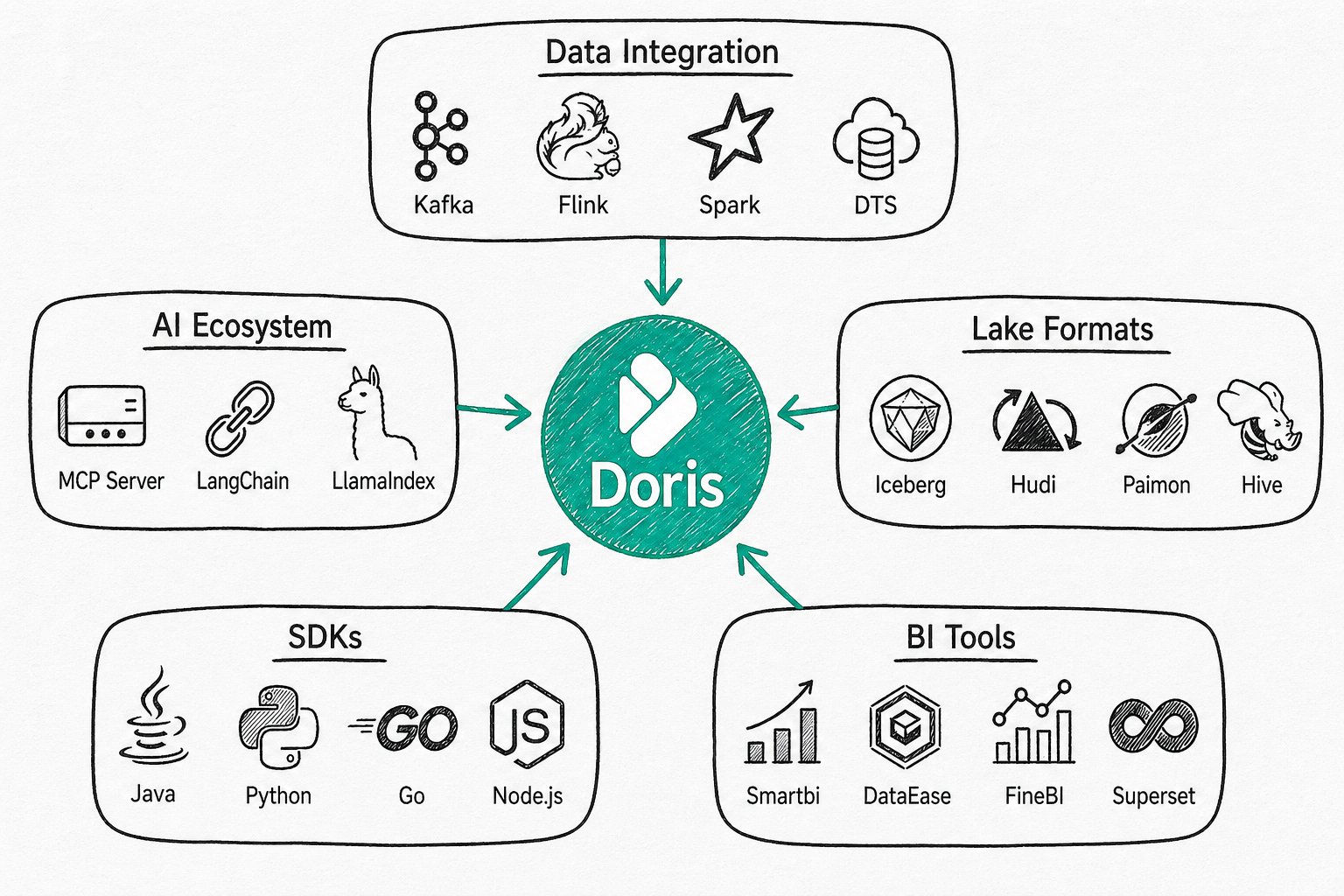
Spark Doris Connector supports reading data stored in Doris through Spark and writing data to Doris through Spark.
Code repository: https://github.com/apache/doris-spark-connector
- Supports batch reading data from
DoristhroughRDD,DataFrameandSpark SQLmethods. UsingDataFrameorSpark SQLis recommended. - Supports batch or streaming writing data to
DorisusingDataFrameandSpark SQL. - Supports data filtering on the
Dorisside to reduce data transmission volume.
Version Compatibility
| Connector | Spark | Doris | Java | Scala |
|---|---|---|---|---|
| 25.2.0 | 3.5 - 3.1, 2.4 | 1.0 + | 8 | 2.12, 2.11 |
| 25.1.0 | 3.5 - 3.1, 2.4 | 1.0 + | 8 | 2.12, 2.11 |
| 25.0.1 | 3.5 - 3.1, 2.4 | 1.0 + | 8 | 2.12, 2.11 |
| 25.0.0 | 3.5 - 3.1, 2.4 | 1.0 + | 8 | 2.12, 2.11 |
| 1.3.2 | 3.4 - 3.1, 2.4, 2.3 | 1.0 - 2.1.6 | 8 | 2.12, 2.11 |
| 1.3.1 | 3.4 - 3.1, 2.4, 2.3 | 1.0 - 2.1.0 | 8 | 2.12, 2.11 |
| 1.3.0 | 3.4 - 3.1, 2.4, 2.3 | 1.0 - 2.1.0 | 8 | 2.12, 2.11 |
| 1.2.0 | 3.2, 3.1, 2.3 | 1.0 - 2.0.2 | 8 | 2.12, 2.11 |
| 1.1.0 | 3.2, 3.1, 2.3 | 1.0 - 1.2.8 | 8 | 2.12, 2.11 |
| 1.0.1 | 3.1, 2.3 | 0.12 - 0.15 | 8 | 2.12, 2.11 |
Usage
Maven
<dependency>
<groupId>org.apache.doris</groupId>
<artifactId>spark-doris-connector-spark-3.5</artifactId>
<version>25.2.0</version>
</dependency>
Starting from version 24.0.0, the Doris Connector package naming rules have been adjusted:
- Scala version information is no longer included.
- For Spark 2.x versions, use the package named
spark-doris-connector-spark-2uniformly, which is compiled based on Scala 2.11 by default. If you need Scala 2.12 version, please compile it yourself. - For Spark 3.x versions, use the package named
spark-doris-connector-spark-3.xaccording to the specific Spark version. For Spark 3.0, you can use thespark-doris-connector-spark-3.1package.
Notes
- Please replace the corresponding Connector version according to different Spark and Scala versions.
- You can also download the relevant version jar packages from here.
Compilation
Execute sh build.sh in the source code directory and enter the Scala and Spark versions you need for compilation according to the prompts.
After successful compilation, the target jar package will be generated in the dist directory, such as: spark-doris-connector-spark-3.5-25.2.0.jar. Copy this file to Spark's ClassPath to use Spark-Doris-Connector.
For example, for Spark running in Local mode, put this file in the jars/ folder. For Spark running in Yarn cluster mode, put this file in the pre-deployment package.
For example, upload spark-doris-connector-spark-3.5-25.2.0.jar to HDFS and add the jar package path on HDFS to the spark.yarn.jars parameter:
# 1. Upload spark-doris-connector-spark-3.5-25.2.0.jar to HDFS
hdfs dfs -mkdir /spark-jars/
hdfs dfs -put /your_local_path/spark-doris-connector-spark-3.5-25.2.0.jar /spark-jars/
# 2. Add spark-doris-connector-spark-3.5-25.2.0.jar dependency in the cluster
spark.yarn.jars=hdfs:///spark-jars/spark-doris-connector-spark-3.5-25.2.0.jar
Usage Examples
Batch Read
RDD
import org.apache.doris.spark._
val dorisSparkRDD = sc.dorisRDD(
tableIdentifier = Some("$YOUR_DORIS_DATABASE_NAME.$YOUR_DORIS_TABLE_NAME"),
cfg = Some(Map(
"doris.fenodes" -> "$YOUR_DORIS_FE_HOSTNAME:$YOUR_DORIS_FE_RESFUL_PORT",
"doris.request.auth.user" -> "$YOUR_DORIS_USERNAME",
"doris.request.auth.password" -> "$YOUR_DORIS_PASSWORD"
))
)
dorisSparkRDD.collect()
DataFrame
val dorisSparkDF = spark.read.format("doris")
.option("doris.table.identifier", "$YOUR_DORIS_DATABASE_NAME.$YOUR_DORIS_TABLE_NAME")
.option("doris.fenodes", "$YOUR_DORIS_FE_HOSTNAME:$YOUR_DORIS_FE_RESFUL_PORT")
.option("user", "$YOUR_DORIS_USERNAME")
.option("password", "$YOUR_DORIS_PASSWORD")
.load()
dorisSparkDF.show(5)
Spark SQL
CREATE TEMPORARY VIEW spark_doris
USING doris
OPTIONS(
"table.identifier"="$YOUR_DORIS_DATABASE_NAME.$YOUR_DORIS_TABLE_NAME",
"fenodes"="$YOUR_DORIS_FE_HOSTNAME:$YOUR_DORIS_FE_RESFUL_PORT",
"user"="$YOUR_DORIS_USERNAME",
"password"="$YOUR_DORIS_PASSWORD"
);
SELECT * FROM spark_doris;
pySpark
dorisSparkDF = spark.read.format("doris")
.option("doris.table.identifier", "$YOUR_DORIS_DATABASE_NAME.$YOUR_DORIS_TABLE_NAME")
.option("doris.fenodes", "$YOUR_DORIS_FE_HOSTNAME:$YOUR_DORIS_FE_RESFUL_PORT")
.option("user", "$YOUR_DORIS_USERNAME")
.option("password", "$YOUR_DORIS_PASSWORD")
.load()
# show 5 lines data
dorisSparkDF.show(5)
Reading via Arrow Flight SQL
Starting from version 24.0.0, reading data via Arrow Flight SQL is supported (requires Doris version >= 2.1.0).
Set doris.read.mode to arrow and set doris.read.arrow-flight-sql.port to the Arrow Flight SQL port configured in FE. For server configuration, refer to High-speed Data Transfer Based on Arrow Flight SQL.
val df = spark.read.format("doris")
.option("doris.table.identifier", "$YOUR_DORIS_DATABASE_NAME.$YOUR_DORIS_TABLE_NAME")
.option("doris.fenodes", "$YOUR_DORIS_FE_HOSTNAME:$YOUR_DORIS_FE_RESFUL_PORT")
.option("doris.user", "$YOUR_DORIS_USERNAME")
.option("doris.password", "$YOUR_DORIS_PASSWORD")
.option("doris.read.mode", "arrow")
.option("doris.read.arrow-flight-sql.port", "12345")
.load()
df.show()
Batch Write
DataFrame
val mockDataDF = List(
(3, "440403001005", "21.cn"),
(1, "4404030013005", "22.cn"),
(33, null, "23.cn")
).toDF("id", "mi_code", "mi_name")
mockDataDF.show(5)
mockDataDF.write.format("doris")
.option("doris.table.identifier", "$YOUR_DORIS_DATABASE_NAME.$YOUR_DORIS_TABLE_NAME")
.option("doris.fenodes", "$YOUR_DORIS_FE_HOSTNAME:$YOUR_DORIS_FE_RESFUL_PORT")
.option("user", "$YOUR_DORIS_USERNAME")
.option("password", "$YOUR_DORIS_PASSWORD")
// Other options
// Specify columns to write
.option("doris.write.fields", "$YOUR_FIELDS_TO_WRITE")
// Starting from version 1.3.0, overwrite write is supported
// .mode(SaveMode.Overwrite)
.save()
Spark SQL
CREATE TEMPORARY VIEW spark_doris
USING doris
OPTIONS(
"table.identifier"="$YOUR_DORIS_DATABASE_NAME.$YOUR_DORIS_TABLE_NAME",
"fenodes"="$YOUR_DORIS_FE_HOSTNAME:$YOUR_DORIS_FE_RESFUL_PORT",
"user"="$YOUR_DORIS_USERNAME",
"password"="$YOUR_DORIS_PASSWORD"
);
INSERT INTO spark_doris VALUES ("VALUE1", "VALUE2", ...);
-- insert into select
INSERT INTO spark_doris SELECT * FROM YOUR_TABLE;
-- insert overwrite
INSERT OVERWRITE SELECT * FROM YOUR_TABLE;
Streaming Write
DataFrame
Structured Data Write
val df = spark.readStream.format("your_own_stream_source").load()
df.writeStream
.format("doris")
.option("checkpointLocation", "$YOUR_CHECKPOINT_LOCATION")
.option("doris.table.identifier", "$YOUR_DORIS_DATABASE_NAME.$YOUR_DORIS_TABLE_NAME")
.option("doris.fenodes", "$YOUR_DORIS_FE_HOSTNAME:$YOUR_DORIS_FE_RESFUL_PORT")
.option("user", "$YOUR_DORIS_USERNAME")
.option("password", "$YOUR_DORIS_PASSWORD")
.start()
.awaitTermination()
Direct Write
If the first column of the data stream conforms to the Doris table structure, such as CSV data with the same column order or JSON data with consistent field names, you can directly write this column of data without converting it to a DataFrame by setting the doris.sink.streaming.passthrough option to true.
Taking Kafka source as an example:
Assume the table structure to be written is as follows:
CREATE TABLE `t2` (
`c0` int NULL,
`c1` varchar(10) NULL,
`c2` date NULL
) ENGINE=OLAP
DUPLICATE KEY(`c0`)
COMMENT 'OLAP'
DISTRIBUTED BY HASH(`c0`) BUCKETS 1
PROPERTIES (
"replication_allocation" = "tag.location.default: 1"
);
The message value is in JSON format: {"c0":1,"c1":"a","dt":"2024-01-01"}.
val kafkaSource = spark.readStream
.format("kafka")
.option("kafka.bootstrap.servers", "$YOUR_KAFKA_SERVERS")
.option("startingOffsets", "latest")
.option("subscribe", "$YOUR_KAFKA_TOPICS")
.load()
// Select value as the first column of DataFrame
kafkaSource.selectExpr("CAST(value as STRING)")
.writeStream
.format("doris")
.option("checkpointLocation", "$YOUR_CHECKPOINT_LOCATION")
.option("doris.table.identifier", "$YOUR_DORIS_DATABASE_NAME.$YOUR_DORIS_TABLE_NAME")
.option("doris.fenodes", "$YOUR_DORIS_FE_HOSTNAME:$YOUR_DORIS_FE_RESFUL_PORT")
.option("user", "$YOUR_DORIS_USERNAME")
.option("password", "$YOUR_DORIS_PASSWORD")
// Setting this option to true will directly write the first column of DataFrame
.option("doris.sink.streaming.passthrough", "true")
.option("doris.sink.properties.format", "json")
.start()
.awaitTermination()
Writing in JSON Format
Set doris.sink.properties.format to json.
val df = spark.readStream.format("your_own_stream_source").load()
df.write.format("doris")
.option("doris.fenodes", "$YOUR_DORIS_FE_HOSTNAME:$YOUR_DORIS_FE_RESFUL_PORT")
.option("doris.table.identifier", "$YOUR_DORIS_DATABASE_NAME.$YOUR_DORIS_TABLE_NAME")
.option("user", "$YOUR_DORIS_USERNAME")
.option("password", "$YOUR_DORIS_PASSWORD")
.option("doris.sink.properties.format", "json")
.save()
Spark Doris Catalog
Starting from version 24.0.0, accessing Doris through Spark Catalog is supported.
Catalog Config
| Option Name | Required | Comment |
|---|---|---|
| spark.sql.catalog.your_catalog_name | Yes | Set the class name of the Catalog provider. For Doris, the only valid value is org.apache.doris.spark.catalog.DorisTableCatalog. |
| spark.sql.catalog.your_catalog_name.doris.fenodes | Yes | Set Doris FE nodes in the format fe_ip:fe_http_port. |
| spark.sql.catalog.your_catalog_name.doris.query.port | No | Set Doris FE query port. This option can be omitted when spark.sql.catalog.your_catalog_name.doris.fe.auto.fetch is true. |
| spark.sql.catalog.your_catalog_name.doris.user | Yes | Set Doris user. |
| spark.sql.catalog.your_catalog_name.doris.password | Yes | Set Doris password. |
| spark.sql.defaultCatalog | No | Set Spark SQL default catalog. |
All connector parameters applicable to DataFrame and Spark SQL can be set for catalog.
For example, if you want to write data in json format, you can set the option spark.sql.catalog.your_catalog_name.doris.sink.properties.format to json.
DataFrame
val conf = new SparkConf()
conf.set("spark.sql.catalog.your_catalog_name", "org.apache.doris.spark.catalog.DorisTableCatalog")
conf.set("spark.sql.catalog.your_catalog_name.doris.fenodes", "192.168.0.1:8030")
conf.set("spark.sql.catalog.your_catalog_name.doris.query.port", "9030")
conf.set("spark.sql.catalog.your_catalog_name.doris.user", "root")
conf.set("spark.sql.catalog.your_catalog_name.doris.password", "")
val spark = builder.config(conf).getOrCreate()
spark.sessionState.catalogManager.setCurrentCatalog("your_catalog_name")
// show all databases
spark.sql("show databases")
// use databases
spark.sql("use your_doris_db")
// show tables in test
spark.sql("show tables")
// query table
spark.sql("select * from your_doris_table")
// write data
spark.sql("insert into your_doris_table values(xxx)")
Spark SQL
Set necessary parameters and start Spark SQL CLI:
spark-sql \
--conf "spark.sql.catalog.your_catalog_name=org.apache.doris.spark.catalog.DorisTableCatalog" \
--conf "spark.sql.catalog.your_catalog_name.doris.fenodes=192.168.0.1:8030" \
--conf "spark.sql.catalog.your_catalog_name.doris.query.port=9030" \
--conf "spark.sql.catalog.your_catalog_name.doris.user=root" \
--conf "spark.sql.catalog.your_catalog_name.doris.password=" \
--conf "spark.sql.defaultCatalog=your_catalog_name"
Execute queries in Spark SQL CLI:
-- show all databases
show databases;
-- use databases
use your_doris_db;
-- show tables in test
show tables;
-- query table
select * from your_doris_table;
-- write data
insert into your_doris_table values(xxx);
insert into your_doris_table select * from your_source_table;
-- access table with full name
select * from your_catalog_name.your_doris_db.your_doris_table;
insert into your_catalog_name.your_doris_db.your_doris_table values(xxx);
insert into your_catalog_name.your_doris_db.your_doris_table select * from your_source_table;
Java Example
Java version examples are provided under samples/doris-demo/spark-demo/ for reference, here.
Configuration
General Configuration
| Key | Default Value | Comment |
|---|---|---|
| doris.fenodes | -- | Doris FE http address, supports multiple addresses separated by commas |
| doris.table.identifier | -- | Doris table name, e.g., db1.tbl1 |
| doris.user | -- | Username to access Doris |
| doris.password | Empty string | Password to access Doris |
| doris.request.retries | 3 | Number of retries for requests sent to Doris |
| doris.request.connect.timeout.ms | 30000 | Connection timeout for requests sent to Doris |
| doris.request.read.timeout.ms | 30000 | Read timeout for requests sent to Doris |
| doris.request.query.timeout.s | 21600 | Query timeout for Doris, default value is 6 hours, -1 means no timeout limit. |
| doris.request.tablet.size | 1 | Number of Doris Tablets corresponding to one RDD Partition. The smaller this value, the more Partitions will be generated, thus improving Spark's parallelism, but also putting more pressure on Doris. |
| doris.read.field | -- | List of column names to read from Doris table, separated by commas |
| doris.batch.size | 4064 | Maximum number of rows to read from BE at once. Increasing this value can reduce the number of connections established between Spark and Doris. Thereby reducing the extra time overhead caused by network latency. |
| doris.exec.mem.limit | 8589934592 | Memory limit for a single query. Default is 8GB, in bytes |
| doris.write.fields | -- | Specify the fields or field order to write to Doris table, separated by commas. By default, all fields are written in the order of Doris table fields. |
| doris.sink.batch.size | 500000 | Maximum number of rows written to BE at once |
| doris.sink.max-retries | 0 | Number of retries after writing to BE fails. Starting from version 1.3.0, the default value is 0, which means no retry by default. When this parameter is set to greater than 0, batch-level failure retry will be performed, and data of the size configured by doris.sink.batch.size will be cached in Spark Executor memory, which may require appropriately increasing memory allocation. |
| doris.sink.retry.interval.ms | 10000 | After configuring the number of retries, the interval between each retry, in ms. |
| doris.sink.properties.format | csv | Data format for Stream Load. Supports 3 formats: csv, json, arrow More parameter details |
| doris.sink.properties.* | -- | Import parameters for Stream Load. For example: Specify column separator: 'doris.sink.properties.column_separator' = ',' etc.More parameter details |
| doris.sink.task.partition.size | -- | Number of Partitions corresponding to Doris write task. After Spark RDD is filtered and other operations, the number of Partitions finally written may be relatively large, but the number of records corresponding to each Partition is relatively small, resulting in increased write frequency and waste of computing resources. The smaller this value is set, the lower the Doris write frequency can be, reducing Doris merge pressure. This parameter is used in conjunction with doris.sink.task.use.repartition. |
| doris.sink.task.use.repartition | false | Whether to use repartition method to control the number of Doris write Partitions. The default value is false, using coalesce method to control (Note: If there is no Spark action operator before writing, it may reduce the overall calculation parallelism). If set to true, repartition method is used (Note: Although the final number of Partitions can be set, it will additionally increase shuffle overhead). |
| doris.sink.batch.interval.ms | 0 | Interval time for each batch Sink, in ms. |
| doris.sink.enable-2pc | false | Whether to enable two-phase commit. After enabling, transactions will be committed at the end of the job, and all transactions in pre-committed state will be rolled back when some tasks fail. |
| doris.sink.auto-redirect | true | Whether to redirect StreamLoad requests. After enabling, StreamLoad will write through FE without explicitly obtaining BE information. |
| doris.enable.https | false | Whether to enable FE Https requests. |
| doris.https.key-store-path | - | Https key store path. |
| doris.https.key-store-type | JKS | Https key store type. |
| doris.https.key-store-password | - | Https key store password. |
| doris.read.mode | thrift | Doris read mode, options are thrift and arrow. |
| doris.read.arrow-flight-sql.port | - | Arrow Flight SQL port of Doris FE. When doris.read.mode is arrow, it is used to read data through Arrow Flight SQL. For server configuration, refer to High-speed Data Transfer Based on Arrow Flight SQL |
| doris.sink.label.prefix | spark-doris | Import label prefix when writing in Stream Load mode. |
| doris.thrift.max.message.size | 2147483647 | Maximum message size when reading data through Thrift. |
| doris.fe.auto.fetch | false | Whether to automatically fetch FE information. When set to true, all FE node information will be requested based on the nodes configured in doris.fenodes, without needing to configure multiple nodes additionally or separately configure doris.read.arrow-flight-sql.port and doris.query.port. |
| doris.read.bitmap-to-string | false | Whether to convert Bitmap type to a string composed of array indexes when reading. For specific result format, refer to function definition BITMAP_TO_STRING. |
| doris.read.bitmap-to-base64 | false | Whether to convert Bitmap type to Base64 encoded string when reading. For specific result format, refer to function definition BITMAP_TO_BASE64. |
| doris.query.port | - | Doris FE query port, used for overwrite write and Catalog metadata retrieval. |
SQL and Dataframe Specific Configuration
| Key | Default Value | Comment |
|---|---|---|
| doris.filter.query.in.max.count | 10000 | Maximum number of elements in the value list of in expression in predicate pushdown. If this number is exceeded, the in expression condition filtering is processed on the Spark side. |
Structured Streaming Specific Configuration
| Key | Default Value | Comment |
|---|---|---|
| doris.sink.streaming.passthrough | false | Write the value of the first column directly without processing. |
RDD Specific Configuration
| Key | Default Value | Comment |
|---|---|---|
| doris.request.auth.user | -- | Username to access Doris |
| doris.request.auth.password | -- | Password to access Doris |
| doris.filter.query | -- | Expression to filter read data, this expression is transparently transmitted to Doris. Doris uses this expression to complete source data filtering. |
Doris to Spark Column Type Mapping
| Doris Type | Spark Type |
|---|---|
| NULL_TYPE | DataTypes.NullType |
| BOOLEAN | DataTypes.BooleanType |
| TINYINT | DataTypes.ByteType |
| SMALLINT | DataTypes.ShortType |
| INT | DataTypes.IntegerType |
| BIGINT | DataTypes.LongType |
| FLOAT | DataTypes.FloatType |
| DOUBLE | DataTypes.DoubleType |
| DATE | DataTypes.DateType |
| DATETIME | DataTypes.TimestampType |
| DECIMAL | DecimalType |
| CHAR | DataTypes.StringType |
| LARGEINT | DecimalType |
| VARCHAR | DataTypes.StringType |
| STRING | DataTypes.StringType |
| JSON | DataTypes.StringType |
| VARIANT | DataTypes.StringType |
| TIME | DataTypes.DoubleType |
| HLL | DataTypes.StringType |
| Bitmap | DataTypes.StringType |
Spark to Doris Data Type Mapping
| Spark Type | Doris Type |
|---|---|
| BooleanType | BOOLEAN |
| ShortType | SMALLINT |
| IntegerType | INT |
| LongType | BIGINT |
| FloatType | FLOAT |
| DoubleType | DOUBLE |
| DecimalType | DECIMAL |
| StringType | VARCHAR/STRING |
| DateType | DATE |
| TimestampType | DATETIME |
| ArrayType | ARRAY |
| MapType | MAP/JSON |
| StructType | STRUCT/JSON |
Starting from version 24.0.0, the Bitmap type read return type is string, returning the string value "Read unsupported" by default.
FAQ
-
How to write Bitmap type?
In Spark SQL, when writing data through INSERT INTO method, if the target table in Doris contains
BITMAPorHLLtype data, you need to set the parameterdoris.ignore-typeto the corresponding type and map and transform columns throughdoris.write.fields. Usage is as follows:BITMAP
CREATE TEMPORARY VIEW spark_doris
USING doris
OPTIONS(
"table.identifier"="$YOUR_DORIS_DATABASE_NAME.$YOUR_DORIS_TABLE_NAME",
"fenodes"="$YOUR_DORIS_FE_HOSTNAME:$YOUR_DORIS_FE_RESFUL_PORT",
"user"="$YOUR_DORIS_USERNAME",
"password"="$YOUR_DORIS_PASSWORD",
"doris.ignore-type"="bitmap",
"doris.write.fields"="col1,col2,col3,bitmap_col2=to_bitmap(col2),bitmap_col3=bitmap_hash(col3)"
);HLL
CREATE TEMPORARY VIEW spark_doris
USING doris
OPTIONS(
"table.identifier"="$YOUR_DORIS_DATABASE_NAME.$YOUR_DORIS_TABLE_NAME",
"fenodes"="$YOUR_DORIS_FE_HOSTNAME:$YOUR_DORIS_FE_RESFUL_PORT",
"user"="$YOUR_DORIS_USERNAME",
"password"="$YOUR_DORIS_PASSWORD",
"doris.ignore-type"="hll",
"doris.write.fields"="col1,hll_col1=hll_hash(col1)"
);tipStarting from version 24.0.0,
doris.ignore-typeis deprecated and does not need to be added when writing. -
How to use Overwrite write?
Starting from version 1.3.0, Overwrite mode writing is supported (only full table level data overwrite is supported). The specific usage is as follows:
DataFrame
resultDf.format("doris")
.option("doris.fenodes","$YOUR_DORIS_FE_HOSTNAME:$YOUR_DORIS_FE_RESFUL_PORT")
// your own options
.mode(SaveMode.Overwrite)
.save()SQL
INSERT OVERWRITE your_target_table SELECT * FROM your_source_table; -
How to read Bitmap type?
Starting from version 24.0.0, reading converted Bitmap data through Arrow Flight SQL is supported (requires Doris version >= 2.1.0).
Bitmap to String
Taking
DataFramemethod as an example, setdoris.read.bitmap-to-stringtotrue. For specific result format, see option definition.spark.read.format("doris")
.option("doris.table.identifier", "$YOUR_DORIS_DATABASE_NAME.$YOUR_DORIS_TABLE_NAME")
.option("doris.fenodes", "$YOUR_DORIS_FE_HOSTNAME:$YOUR_DORIS_FE_RESFUL_PORT")
.option("user", "$YOUR_DORIS_USERNAME")
.option("password", "$YOUR_DORIS_PASSWORD")
.option("doris.read.bitmap-to-string", "true")
.load()Bitmap to Base64
Taking
DataFramemethod as an example, setdoris.read.bitmap-to-base64totrue. For specific result format, see option definition.spark.read.format("doris")
.option("doris.table.identifier", "$YOUR_DORIS_DATABASE_NAME.$YOUR_DORIS_TABLE_NAME")
.option("doris.fenodes", "$YOUR_DORIS_FE_HOSTNAME:$YOUR_DORIS_FE_RESFUL_PORT")
.option("user", "$YOUR_DORIS_USERNAME")
.option("password", "$YOUR_DORIS_PASSWORD")
.option("doris.read.bitmap-to-base64", "true")
.load() -
Error when writing via DataFrame:
org.apache.spark.sql.AnalysisException: TableProvider implementation doris cannot be written with ErrorIfExists mode, please use Append or Overwrite modes instead.Need to add save mode as Append:
resultDf.format("doris")
.option("doris.fenodes","$YOUR_DORIS_FE_HOSTNAME:$YOUR_DORIS_FE_RESFUL_PORT")
// your own options
.mode(SaveMode.Append)
.save()