Langfuse on Doris
关于 Langfuse
Langfuse 是一个开源的 LLM 工程平台,专门为大语言模型应用提供全面的可观测性解决方案。它主要提供以下核心功能:
- 链路追踪:完整记录 LLM 应用的调用链路和执行流程
- 性能评估:提供多维度的模型性能评估和质量分析
- 提示管理:集中管理和版本控制提示词模板
- 指标监控:实时监控应用性能、成本和质量指标
本文档将详细介绍如何部署基于 Apache Doris 作为分析后端的 Langfuse 解决方案,充分利用 Doris 强大的 OLAP 分析能力来处理大规模的 LLM 应用数据。
系统架构
Langfuse on Doris 解决方案采用微服务架构,包含以下核心组件:
| 组件 | 端口 | 功能说明 |
|---|---|---|
| Langfuse Web | 3000 | Web 界面和 API 服务,提供用户交互和数据接入 |
| Langfuse Worker | 3030 | 异步任务处理,负责数据处理和分析任务 |
| PostgreSQL | 5432 | 事务性数据存储,保存用户配置和元数据 |
| Redis | 6379 | 缓存层和消息队列,提升系统响应性能 |
| MinIO | 9090 | 对象存储服务,存储原始事件和多模态附件 |
| Doris Fe | 9030 8030 | Doris frontend, Doris 架构的一部分,主要负责接收用户请求、查询解析和规划、元数据管理以及节点管理 |
| Doris Be | 8040 8050 | Doris Backends ,Doris 架构的一部分,主要负责数据存储和查询计划的执行。数据会被切分成数据分片(Shard),在 BE 中以多副本方式存储。 |
::: note
在部署 Apache Doris 时,可以根据硬件环境与业务需求选择存算一体架构或存算分离架构。 在 Langfuse 部署中,生产环境不建议使用 Docker Doris,Docker 中带有的 Fe,Be 部分为了方便用户快速体验Langfuse on Doris 的能力
:::
flowchart TB
    User["UI, API, SDKs"]
    subgraph vpc["VPC"]
        Web["Web Server<br/>(langfuse/langfuse)"]
        Worker["Async Worker<br/>(langfuse/worker)"]
        Postgres["Postgres - OLTP<br/>(Transactional Data)"]
        Cache["Redis/Valkey<br/>(Cache, Queue)"]
        Doris["Doris - OLAP<br/>(Observability Data)"]
        S3["S3 / Blob Storage<br/>(Raw events, multi-modal attachments)"]
    end
    LLM["LLM API/Gateway<br/>(optional)"]

    User --> Web
    Web --> S3
    Web --> Postgres
    Web --> Cache
    Web --> Doris
    Web -.->|"optional for playground"| LLM

    Cache --> Worker
    Worker --> Doris
    Worker --> Postgres
    Worker --> S3
    Worker -.->|"optional for evals"| LLM
部署要求
软件环境
| 组件 | 版本要求 | 说明 |
|---|---|---|
| Docker | 20.0+ | 容器运行环境 |
| Docker Compose | 2.0+ | 容器编排工具 |
| Apache Doris | 2.1.10+ | 分析数据库,需独立部署 |
硬件资源
| 资源类型 | 最低要求 | 推荐配置 | 说明 |
|---|---|---|---|
| 内存 | 8GB | 16GB+ | 支持多服务并发运行 |
| 磁盘 | 50GB | 100GB+ | 存储容器数据和日志 |
| 网络 | 1Gbps | 10Gbps | 确保数据传输性能 |
前置条件
-
Doris 集群准备
- 确保 Doris 集群正常运行且性能稳定
- 验证 FE HTTP 端口(默认 8030)和查询端口(默认 9030)网络可达
- Langfuse 启动后将自动在 Doris 中创建所需的数据库和表结构
-
网络连通性
- 部署环境能够访问 Docker Hub 拉取镜像
- Langfuse 服务能够访问 Doris 集群的相关端口
- 客户端能够访问 Langfuse Web 服务端口
部署建议
推荐使用 Docker 部署 Langfuse 服务组件(Web、Worker、Redis、PostgreSQL),但 Doris 建议独立部署以获得更好的性能和稳定性。详细的 Doris 部署指南请参考官方文档。
配置参数
Langfuse 服务需要配置多个环境变量来支持各个组件的正常运行:
Doris 分析后端配置
| 参数名称 | 示例值 | 说明 |
|---|---|---|
LANGFUSE_ANALYTICS_BACKEND | doris | 指定使用 Doris 作为分析后端 |
DORIS_FE_HTTP_URL | http://localhost:8030 | Doris FE HTTP 服务地址 |
DORIS_FE_QUERY_PORT | 9030 | Doris FE 查询端口 |
DORIS_DB | langfuse | Doris 数据库名称 |
DORIS_USER | root | Doris 用户名 |
DORIS_PASSWORD | 123456 | Doris 密码 |
DORIS_MAX_OPEN_CONNECTIONS | 100 | 最大数据库连接数 |
DORIS_REQUEST_TIMEOUT_MS | 300000 | 请求超时时间(毫秒) |
基础服务配置
| 参数名称 | 示例值 | 说明 |
|---|---|---|
DATABASE_URL | postgresql://postgres:postgres@langfuse-postgres:5432/postgres | PostgreSQL 数据库连接地址 |
NEXTAUTH_SECRET | your-debug-secret-key-here-must-be-long-enough | NextAuth 认证密钥,用于会话加密 |
SALT | your-super-secret-salt-with-at-least-32-characters-for-encryption | 数据加密盐值(至少32字符) |
ENCRYPTION_KEY | 0000000000000000000000000000000000000000000000000000000000000000 | 数据加密密钥(64字符) |
NEXTAUTH_URL | http://localhost:3000 | Langfuse Web 服务地址 |
TZ | UTC | 系统时区设置 |
Redis 缓存配置
| 参数名称 | 示例值 | 说明 |
|---|---|---|
REDIS_HOST | langfuse-redis | Redis 服务主机地址 |
REDIS_PORT | 6379 | Redis 服务端口 |
REDIS_AUTH | myredissecret | Redis 认证密码 |
REDIS_TLS_ENABLED | false | 是否启用 TLS 加密 |
REDIS_TLS_CA | - | TLS CA 证书路径 |
REDIS_TLS_CERT | - | TLS 客户端证书路径 |
REDIS_TLS_KEY | - | TLS 私钥路径 |
数据迁移配置
| 参数名称 | 示例值 | 说明 |
|---|---|---|
LANGFUSE_ENABLE_BACKGROUND_MIGRATIONS | false | 禁用后台迁移(使用 Doris 时需要关闭) |
LANGFUSE_AUTO_DORIS_MIGRATION_DISABLED | false | 启用 Doris 自动迁移 |
Docker Compose 部署
启动前准备
这里我们提供一个可以直接启动的compose 示例,配置根据需求进行修改
下载 docker compose
wget https://apache-doris-releases.oss-cn-beijing.aliyuncs.com/extension/docker-langfuse-doris.tar.gz
compose 文件与配置文件路径结构如下
docker-langfuse-doris
├── docker-compose.yml
└── doris-config
    └── fe_custom.conf
部署步骤
1 . 启动 compose
docker compose up -d
# 检查
$ docker compose up -d
[+] Running 9/9
 ✔ Network docker-langfuse-doris_doris_internal  Created                                                                                                                                                                                               0.1s
 ✔ Network docker-langfuse-doris_default         Created                                                                                                                                                                                               0.1s
 ✔ Container doris_fe                            Healthy                                                                                                                                                                                              13.8s
 ✔ Container langfuse-postgres                   Healthy                                                                                                                                                                                              13.8s
 ✔ Container langfuse-redis                      Healthy                                                                                                                                                                                              13.8s
 ✔ Container langfuse-minio                      Healthy                                                                                                                                                                                              13.8s
 ✔ Container doris_be                            Healthy                                                                                                                                                                                              54.3s
 ✔ Container langfuse-worker                     Started                                                                                                                                                                                              54.8s
 ✔ Container langfuse-web                        Started
3. 验证部署
检查服务状态:
当服务状态都为 Healthy 说明 compose 启动成功
$ docker compose ps
NAME                IMAGE                             COMMAND                  SERVICE           CREATED         STATUS                        PORTS
doris_be            apache/doris:be-2.1.11            "bash entry_point.sh"    doris_be          2 minutes ago   Up 2 minutes (healthy)        0.0.0.0:8040->8040/tcp, :::8040->8040/tcp, 0.0.0.0:8060->8060/tcp, :::8060->8060/tcp, 0.0.0.0:9050->9050/tcp, :::9050->9050/tcp, 0.0.0.0:9060->9060/tcp, :::9060->9060/tcp
doris_fe            apache/doris:fe-2.1.11            "bash init_fe.sh"        doris_fe          2 minutes ago   Up 2 minutes (healthy)        0.0.0.0:8030->8030/tcp, :::8030->8030/tcp, 0.0.0.0:9010->9010/tcp, :::9010->9010/tcp, 0.0.0.0:9030->9030/tcp, :::9030->9030/tcp
langfuse-minio      minio/minio                       "sh -c 'mkdir -p /da…"   minio             2 minutes ago   Up 2 minutes (healthy)        0.0.0.0:19090->9000/tcp, :::19090->9000/tcp, 127.0.0.1:19091->9001/tcp
langfuse-postgres   postgres:latest                   "docker-entrypoint.s…"   postgres          2 minutes ago   Up 2 minutes (healthy)        127.0.0.1:5432->5432/tcp
langfuse-redis      redis:7                           "docker-entrypoint.s…"   redis             2 minutes ago   Up 2 minutes (healthy)        127.0.0.1:16379->6379/tcp
langfuse-web        selectdb/langfuse-web:latest      "dumb-init -- ./web/…"   langfuse-web      2 minutes ago   Up About a minute (healthy)   0.0.0.0:13000->3000/tcp, :::13000->3000/tcp
langfuse-worker     selectdb/langfuse-worker:latest   "dumb-init -- ./work…"   langfuse-worker   2 minutes ago   Up About a minute (healthy)   0.0.0.0:3030->3030/tcp, :::3030->3030/tcp
4. 服务初始化
部署完成后,通过以下方式访问和初始化服务:
访问 Langfuse Web 界面:
初始化步骤:
- 打开浏览器访问 http://localhost:3000
- 创建管理员账户并登录
- 创建新组织与新项目
- 获取项目的 API Keys(Public Key 和 Secret Key)
- 配置 SDK 集成所需的认证信息
Examples
Using Langfuse SDK
import os
# Instead of: import openai
from langfuse.openai import OpenAI
# from langfuse import observe

# Langfuse config
os.environ["LANGFUSE_SECRET_KEY"] = "sk-lf-******-******"
os.environ["LANGFUSE_PUBLIC_KEY"] = "pk-lf-******-******"
os.environ["LANGFUSE_HOST"] = "http://localhost:3000"


# use OpenAI client to access DeepSeek API
client = OpenAI(
    base_url="https://api.deepseek.com"
)


# ask a question
question = "Doris 可观测性解决方案的特点是什么?回答简洁清晰"
print(f"question: {question}")

completion = client.chat.completions.create(
    model="deepseek-chat",
    messages=[
        {"role": "user", "content": question}
    ]
)
response = completion.choices[0].message.content
print(f"response: {response}")
Using LangChain SDK
import os
from langfuse.langchain import CallbackHandler
from langchain_openai import ChatOpenAI

# Langfuse config
os.environ["LANGFUSE_SECRET_KEY"] = "sk-lf-******-******"
os.environ["LANGFUSE_PUBLIC_KEY"] = "pk-lf-******-******"
os.environ["LANGFUSE_HOST"] = "http://localhost:3000"

# Create your LangChain components (using DeepSeek API)
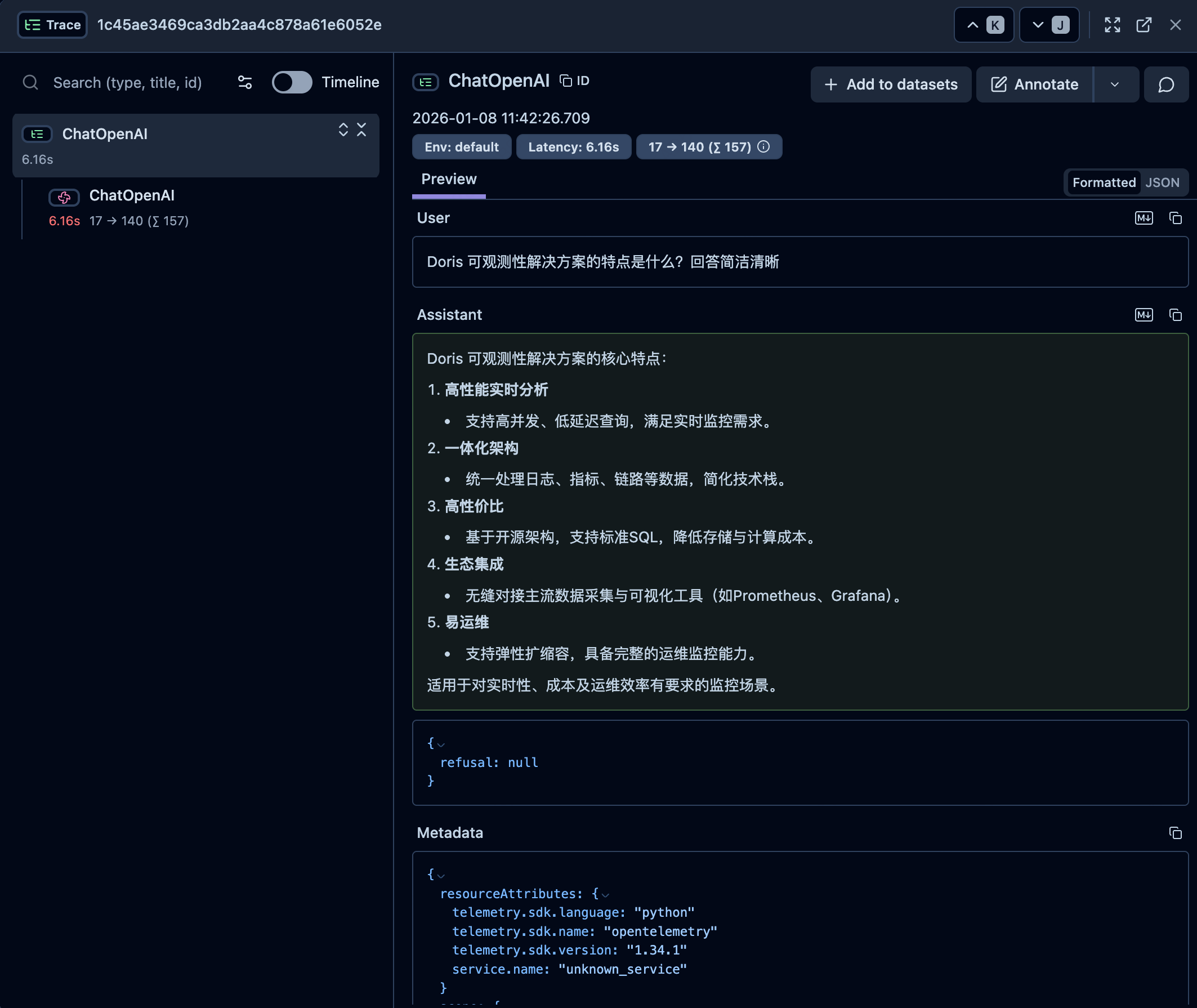
llm = ChatOpenAI(
    model="deepseek-chat",
    openai_api_base="https://api.deepseek.com"
)

# ask a question
question = "Doris 可观测性解决方案的特点是什么?回答简洁清晰"
print(f"question: {question} \n")

# Run your chain with Langfuse tracing
try:
    # Initialize the Langfuse handler
    langfuse_handler = CallbackHandler()
    response = llm.invoke(question, config={"callbacks": [langfuse_handler]})
    print(f"response: {response.content}")
except Exception as e:
    print(f"Error during chain execution: {e}")
Using LlamaIndex SDK
from langfuse import get_client
from openinference.instrumentation.llama_index import LlamaIndexInstrumentor
from llama_index.llms.deepseek import DeepSeek

# Langfuse config
os.environ["LANGFUSE_SECRET_KEY"] = "sk-lf-******-******"
os.environ["LANGFUSE_PUBLIC_KEY"] = "pk-lf-******-******"
os.environ["LANGFUSE_HOST"] = "http://localhost:3000"

langfuse = get_client()


# Initialize LlamaIndex instrumentation
LlamaIndexInstrumentor().instrument()


# Set up the DeepSeek class with the required model and API key
llm = DeepSeek(model="deepseek-chat")


# ask a question
question = "Doris 可观测性解决方案的特点是什么?回答简洁清晰"
print(f"question: {question} \n")

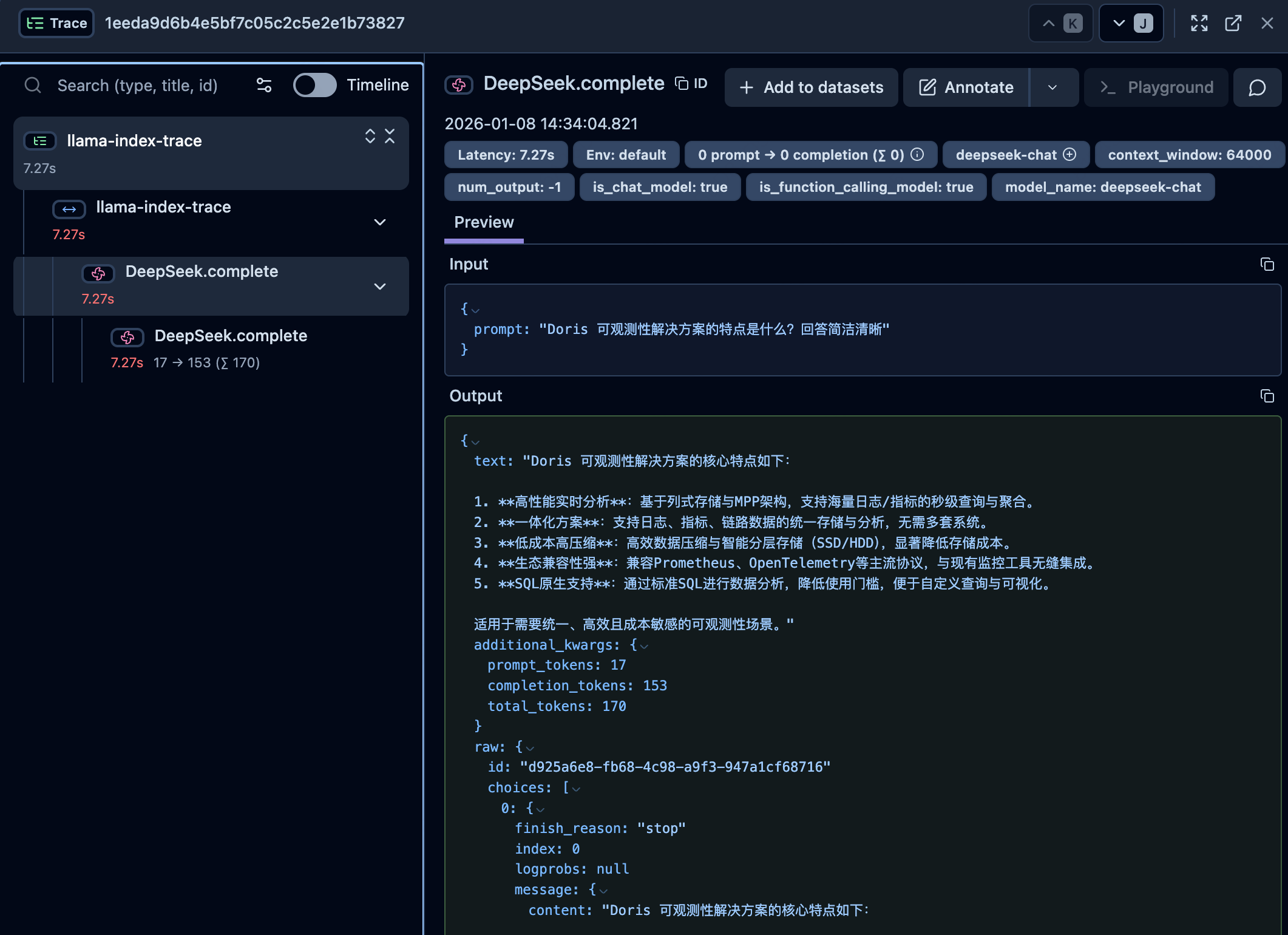
with langfuse.start_as_current_span(name="llama-index-trace"):
    response = llm.complete(question)
    print(f"response: {response}")